A DJ website that keeps up with your releases
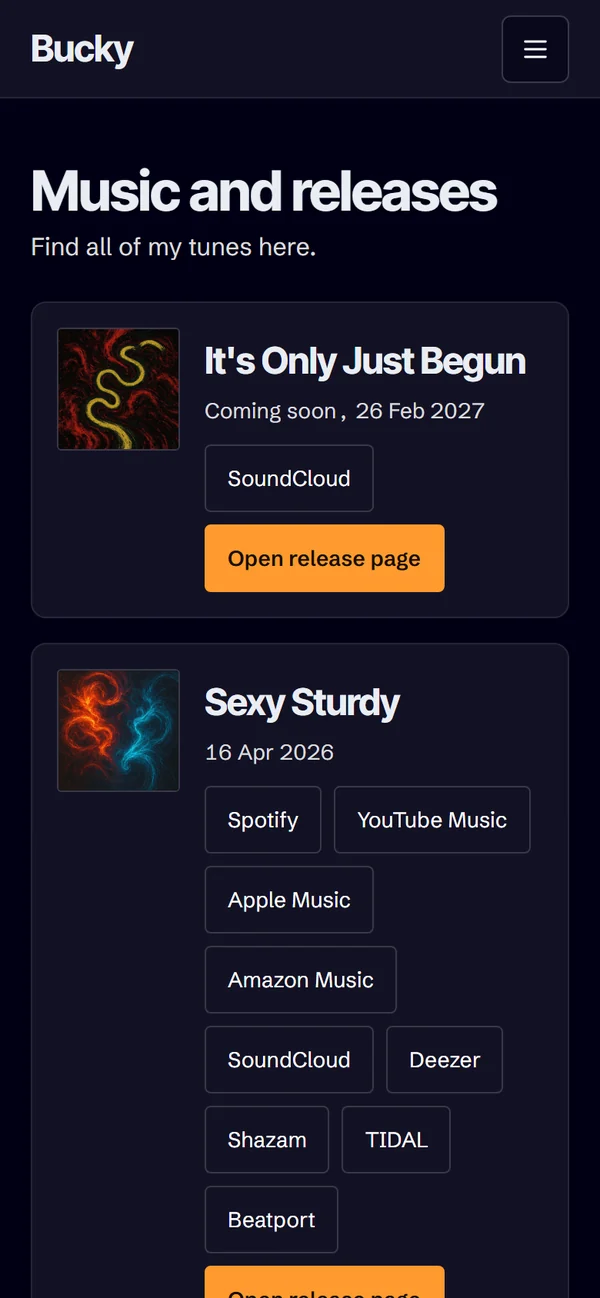
Home, Music, Events, About and Contact on your-name.stagepanel.app. Your catalogue comes in from Spotify, so the Music page already has the track you put out this week.
How it works
- Pick your artist name. Your site is live at your-name.stagepanel.app straight away.
- Paste your Spotify artist link and your releases fill the Music page, each with its cover, date and platform links.
- Add your logo and bio, pick one of the dark themes and choose which pages show.
- Add your gigs in the dashboard and they appear on the Events page.
Good to know
- It is an artist site, not a full press kit: there is no section for press photos or a technical rider yet.
- Gigs are added by hand for now. Syncing them from Bandsintown is coming.
- The music list can go on another site too, through the music/iframe page of your artist site.
Questions
Is the site free?
Yes. The artist site is on every plan, Free included. Free shows a small "Powered by StagePanel" line; Pro removes it.
Do I have to update it after every release?
No. A new release on your Spotify profile lands on the Music page by itself, with a release page of its own.
Do I need to write a bio?
You can write your own, or start from the AI bio, which is on every plan.
Can I hide pages I do not use?
Yes. You choose what shows on your site, so a producer who does not play out can leave Events off.
Try it on your own releases
Every new account gets 7 days of Pro, no card. Afterwards you stay on Free, which is free.