A smart link for every release, without building one
Connect your Spotify artist profile once. Every track gets its own page on your-name.stagepanel.app with the links fans look for, Beatport included, and every new release gets one too.
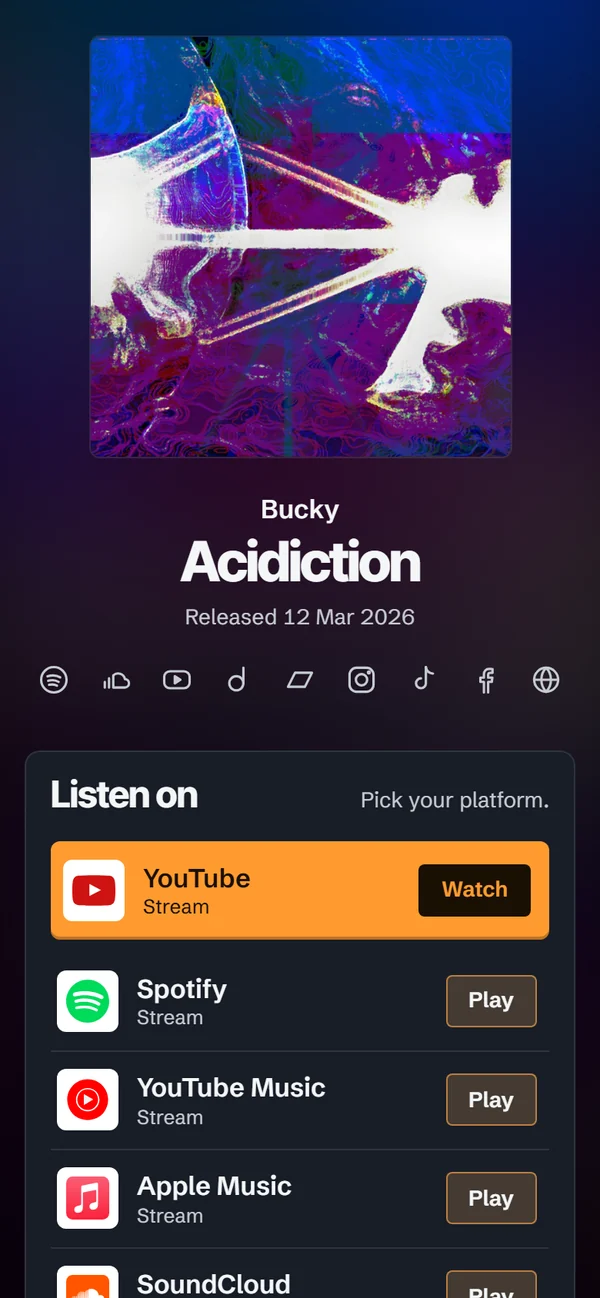
How it works
- Paste your Spotify artist link. StagePanel imports your releases and looks each track up on the other platforms.
- Every track gets a page at your-name.stagepanel.app/track-name, coloured after its cover.
- Before release day the page shows a countdown and an email field. From release day it lists every platform.
- Fans who left their email get a release-day email, sent as "Your name via StagePanel".
Good to know
- On Free, your 5 newest releases get every platform link found for you; on Pro, your whole catalogue does. Older releases on Free keep the links you add by hand.
- Links are looked up from the release on Spotify. A track that is not on Spotify gets its page when you add it by hand, with the links you fill in.
- There is one address per artist, your-name.stagepanel.app, with a path per release.
Questions
Which platforms does a release page link to?
Spotify, Apple Music, Beatport, SoundCloud, Deezer, TIDAL, YouTube and more, wherever the track is out.
Do I have to make a new link for every release?
No. A new release on your Spotify artist profile gets its own page without you doing anything.
Can fans download a track from the page?
Yes, when you switch on a download gate for that track: the fan leaves an email, can follow you on SoundCloud, and the file unlocks on the same page. Free has 3 active gates.
What does it cost?
Free is free and keeps every release page online. Pro is €9/month and finds the links for your whole catalogue. Every new account starts with 7 days of Pro, no card.
Try it on your own releases
Every new account gets 7 days of Pro, no card. Afterwards you stay on Free, which is free.